
Parallels Desktop 15 cho Mac: Giải pháp chạy Windows mượt mà trên MacBook!
Chào mừng bạn đến với thế giới song song , nơi Parallels Desktop 15 mang đến trải nghiệm Windows đỉnh cao ngay trên chiếc máy Mac yêu quý của bạn. Dành riêng cho người dùng cá nhân , phần mềm này là cầu nối hoàn hảo, giúp bạn tận hưởng trọn vẹn cả hai hệ điều hành mà không gặp bất kỳ rào cản nào. Từ công việc văn phòng , học tập đến giải trí đỉnh cao , Parallels Desktop 15 đảm bảo hiệu suất mạnh mẽ và độ ổn định vượt trội.
**Yêu cầu hệ thống:**
* **Phiên bản macOS:** Tối thiểu macOS Mojave 10.14 hoặc mới hơn.
* **Cấu hình tối thiểu:** Bộ xử lý Intel Core i5 trở lên, 4GB RAM, và 600MB dung lượng trống cho ứng dụng (chưa kể dung lượng cho Windows).
Hãy khám phá sự linh hoạt tuyệt vời mà Parallels Desktop 15 mang lại, biến chiếc Mac của bạn thành một cỗ máy đa nhiệm mạnh mẽ, sẵn sàng chinh phục mọi thử thách!
Phần mềm hỗ trợ công nghệ ảo hóa để chạy Windows ngay trên Mac có thể nói là hiệu quả nhất hiện nay. Ngoài Vmware Fusion mà mình đã giới thiệu trước đây. Parallels Desktop có vẻ được nhiều người lựa chọn hơn
Do post cũ đã khá dài do có khá nhiều bản cập nhật nên từ bản Parallels Desktop 15. Mình sẽ tạo thành một post mới. Bạn nào sài bản macOS cũ hơn có thể tham khảo các bản cũ hơn bên dưới.
Parallel Desktop 14 cho Mac
Chi tiết hơn các bạn có thể xem tại trang chủ
www.parallels.com/products/desktop/resources/
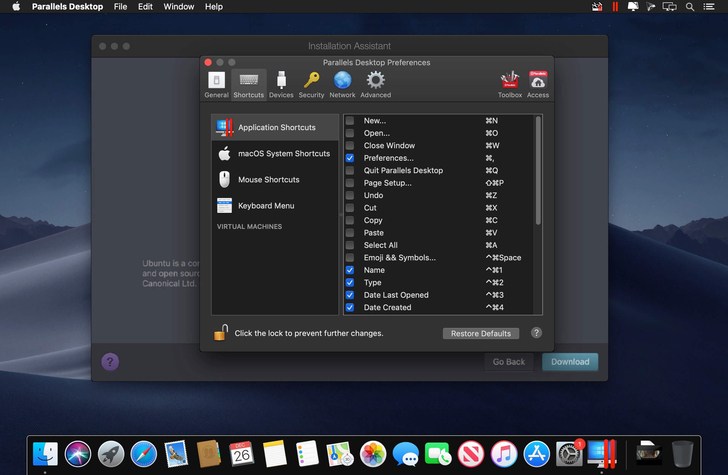
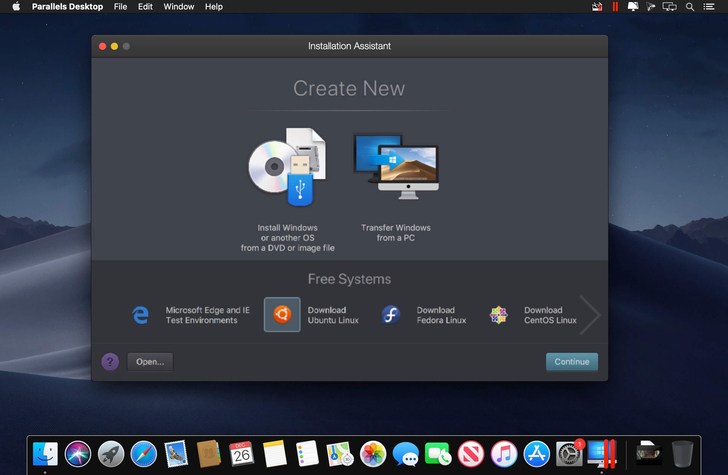
Yêu cầu: macOS 10.12.6 trở lên
Parallels_Desktop_15.1.2.47123 + Parallel Toolbox_3.7.0.2768
Parallels_Desktop_15.1.2.47123_Toolbox_3.7.0.2768_CR2 [Bản này ổn định nhất, không bị nhả cr44ck]
Parallels_Desktop_15.1.4-47270_Toolbox_3.9.1-3170
Bản mới hơn xem tại đây: Parallel Desktop 16
Chi tiết thay đổi trên bản mới nhất:
Lưu ý:Lúc chạy file cài nếu gặp yêu cầu update thì bạn đóng lại, và chọn No, use current
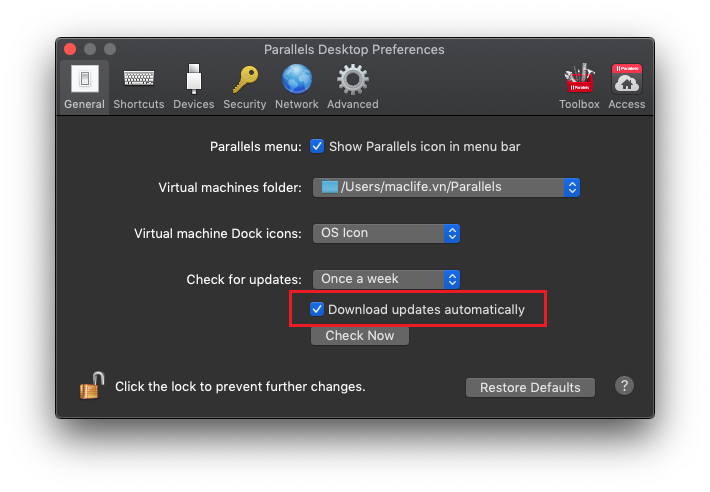
Cài xong nhớ vô Parallel Desktop > Preference> bỏ dấu stick Download updates automatically đi
 Hướng dẫn cài Windows trên Mac bằng Parallel Desktop các bạn tham khảo tại đây

