
Wirecast Pro MacOs – LiveStream chuyên nghiệp dành cho người dùng cá nhân
Tạo ra những buổi livestream đẳng cấp chuyên nghiệp ngay trên chiếc MacBook của bạn với Wirecast Pro! Phần mềm mạnh mẽ này biến chiếc máy tính cá nhân thành một studio sản xuất video trực tiếp đầy đủ tính năng, cho phép bạn dễ dàng tạo ra nội dung hấp dẫn.
Wirecast Pro mang đến khả năng tùy chỉnh linh hoạt, hỗ trợ đa dạng nguồn đầu vào từ camera, micro, màn hình máy tính, cho đến các khách mời trực tuyến từ xa. Bạn có thể tự do sáng tạo với các hiệu ứng chuyển cảnh mượt mà, chèn đồ họa, logo, và thậm chí là tương tác trực tiếp với khán giả qua mạng xã hội.
Đặc biệt, Wirecast Pro yêu cầu phiên bản macOS Tahoe 15 trở lên để hoạt động tốt nhất.
Cấu hình tối thiểu đề nghị:
* **Vi xử lý:** Intel thế hệ thứ 6 trở lên hoặc AMD Ryzen series 1000 trở lên; Apple M1 hoặc mới hơn.
* **RAM:** 8 GB.
* **Ổ cứng:** HDD 7200 RPM (khuyến nghị SSD hoặc RAID cho tính năng ghi ISO).
Hãy nâng tầm những buổi phát sóng trực tiếp của bạn với Wirecast Pro!
Ngoài OBS (Free), thì Wirecast Pro là phần mềm LiveStream như một người Live Stream chuyên nghiệp, ứng dụng hỗ trợ không giới hạn thiết bị đầu vào từ Camera, Camera trên Máy, và nhiều thiết bị khác… hỗ trợ một số hiệu ứng thú vị trong lúc Live Stream.
Chỉ cần mở Wirecast, chọn các thiết bị đầu vào, đăng nhập tài khoản để LiveStream,
Interesting facts about this article
Các tính năng
- Truyền phát trực tiếp lên Facebook Live, Twitter,YouTube, Vimeo Live
- Truyền phát và ghi âm cùng một lúc hoàn toàn dễ dàng.
- Hiển thị các bình luận trên Facebook trong các tiêu đề hoạt hình
- Nhập âm thanh đa kênh, hỗ trợ cho các thiết bị ASIO, WASAPI và CoreAudio
- Cải thiện khả năng tiếp cận cho khiếm thính với chú thích trực tiếp
- Hỗ trợ nhiều camera và đầu vào (USB, SDI, HDMI)
- Có hơn 100 đồ họa và tiêu đề tích hợp sẵn trong Wirecast
- Hiển thị số người xem trực tiếp (Facebook, YouTube, Twitch và Hitbox)
- Phát trực tiếp H.264 (cả giao thức RTSP / RTMP)
- Tự động kết nối cho bất ký máy chủ phát trực tuyến nào
- Bộ trộn âm thanh được tích hợp để điều khiển tốt hơn
- Hỗ trợ các định dạng hình ảnh bao gồm GIF, PNG, JPEG
- Truyền phát và ghi lại video và âm thanh chất lượng cao
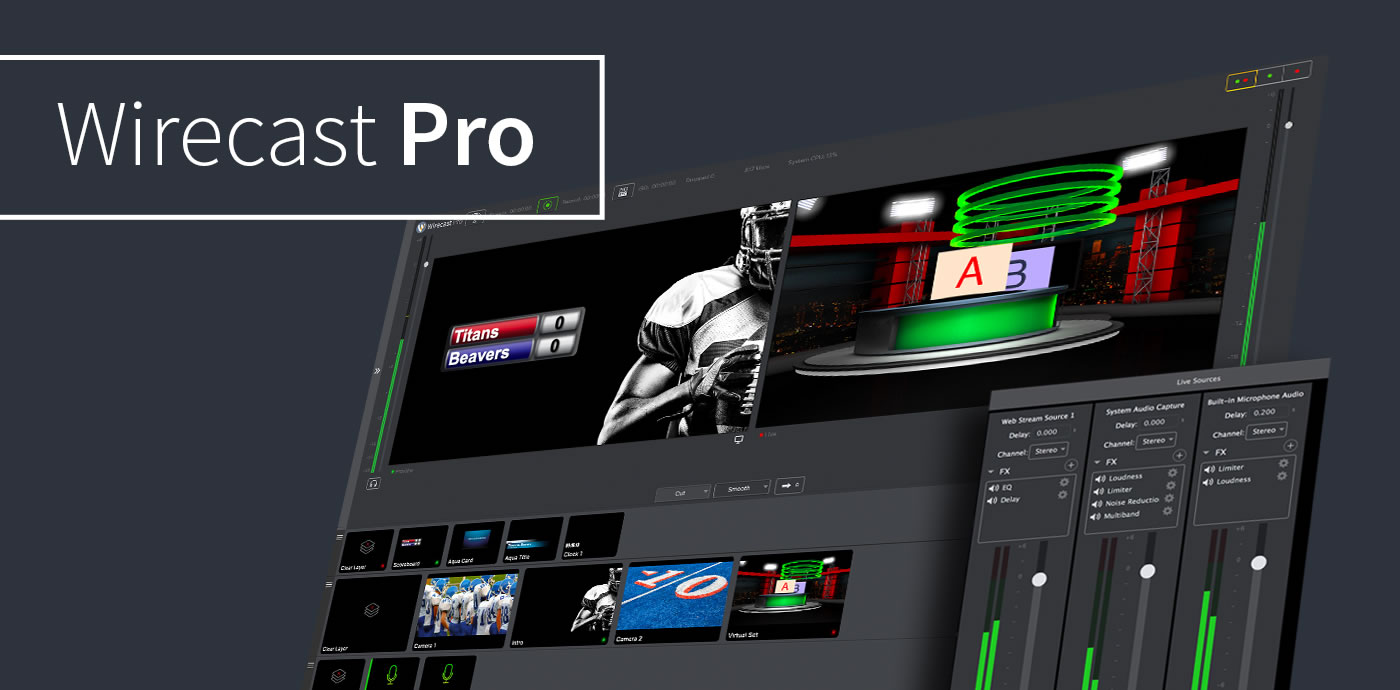
Các thay đổi trên bản Wirecast Pro 14
Requirements:
- Intel, 64-bit processor
- macOS 10.12 or later
Hướng dẫn sử dụng (Tiếng anh) các bạn có thể tham khảo tại đây: www.telestream.net/application-content/wirecast/help/14-0/mac/index.html
Wirecast 14.0.0
Wirecast 14.0.1
Wirecast 14.0.4
Wirecast 14.1.0
Wirecast 14.1.1
wirecast_14.1.2
Wirecast_16.0.2
Wirecast_16.0.3
Wirecast Pro v16.1.0
Wirecast_16_2_0
Wirecast_16.2.1
wirecast_16.2.2
Wirecast_16.2.3
wirecast_16.3.0
Wirecast Pro v16.3.1
wirecast_16.4.0
wirecast_16.4.1
Wirecast_16.5.0
Các bản cũ hơn xem tại đây:

