

Duplicate Photos Fixer Pro macOS – Tìm và xoá ảnh
Chào mừng bạn đến với Duplicate Photos Fixer Pro – giải pháp tối ưu cho MacBook của bạn! Bạn đang gặp tình trạng ảnh trùng lặp, lộn xộn trên máy tính, chiếm dụng không gian lưu trữ quý giá? Phần mềm này chính là “vị cứu tinh” giúp bạn dọn dẹp bộ sưu tập ảnh một cách nhanh chóng và hiệu quả.
Với giao diện thân thiện và các thuật toán mạnh mẽ, Duplicate Photos Fixer Pro tự động quét và xác định chính xác các bản sao hoặc ảnh tương tự nhau. Bạn có thể dễ dàng tùy chỉnh mức độ so khớp để tìm ra những bức ảnh không mong muốn, từ đó giải phóng dung lượng ổ cứng đáng kể. Hãy để những kỷ niệm đẹp luôn được sắp xếp gọn gàng và dễ dàng truy cập!
Phần mềm yêu cầu macOS 10.7 trở lên và iPhoto 9 hoặc Photos 1 trở lên để hoạt động tốt nhất. Cấu hình tối thiểu bao gồm bộ xử lý Intel, 1GB RAM và 50MB dung lượng ổ cứng trống.
Hãy trải nghiệm sự khác biệt ngay hôm nay!
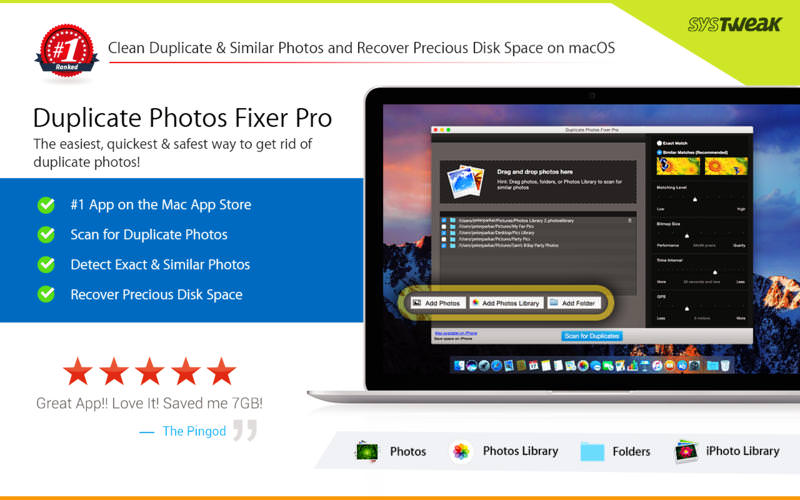
Duplicate Photos Fixer Pro là công cụ giúp bạn tìm ảnh gần giống hoặc giống để giúp đưa ra quyết định loại bỏ chúng, hoạt động cực tốt với iPhoto và kể cả kho ảnh lưu trữ ổ cứng ngoài hoặc trong máy, giúp bạn giải phóng đáng kể dung lượng ổ cứng
Tính năng chính:
Interesting facts about this article
- Drag-and-Drop Folders/Photos – Simply drag and drop folders to easily scan for photos inside them. You can add more photos from your iPhoto library and other folders as well.
- Custom Comparison Settings – You can fully customize your comparison settings out of the available methods by adjusting the settings according to your requirement, regardless of the image size or format.
- Speed – Duplicate Photos Fixer Pro is extremely fast when it comes to scanning and comparing a large number of photos within seconds. This is due to the powerful algorithms injected during the development of this tool that make the search of duplicate photos extremely fast, giving excellent comparison results.
- Efficiency / Real-time Results – Without re-comparing photos, you can re-group the comparison results by changing the matching level on the slider in real-time.
- Auto-Mark Duplicates – Use the Auto-Mark feature to mark all duplicate photos in every group except one, depending upon the preferences.
- Compact Viewing – The interface of Duplicate Photos Fixer Pro is designed in such a way that all occurrences of photos are classified into different groups and are viewed as large photos group in each line.
- QuickLook – Before moving ahead and deleting photos, you can have a clear look at them instead of opening them individually, using this feature.
Duplicate_Photos_Fixer_Pro_4.9
Duplicate_Photos_Fixer_Pro_4.10
Duplicate_Photos_Fixer_Pro_9.1
Duplicate_Photos_Fixer_Pro_9.5
Các bản cũ hơn

