
**SQLPro for MSSQL trên macOS: Công Cụ Đắc Lực Cho Cá Nhân Yêu SQL!**
SQLPro for MSSQL là giải pháp quản lý cơ sở dữ liệu Microsoft SQL Server tối ưu, thiết kế cho người dùng cá nhân trên MacBook! Mang đến trải nghiệm kết nối nhanh chóng và đơn giản đến mọi MSSQL Server, kể cả dịch vụ đám mây như Azure SQL hay Amazon RDS.
Với giao diện trực quan, bạn dễ dàng thao tác:
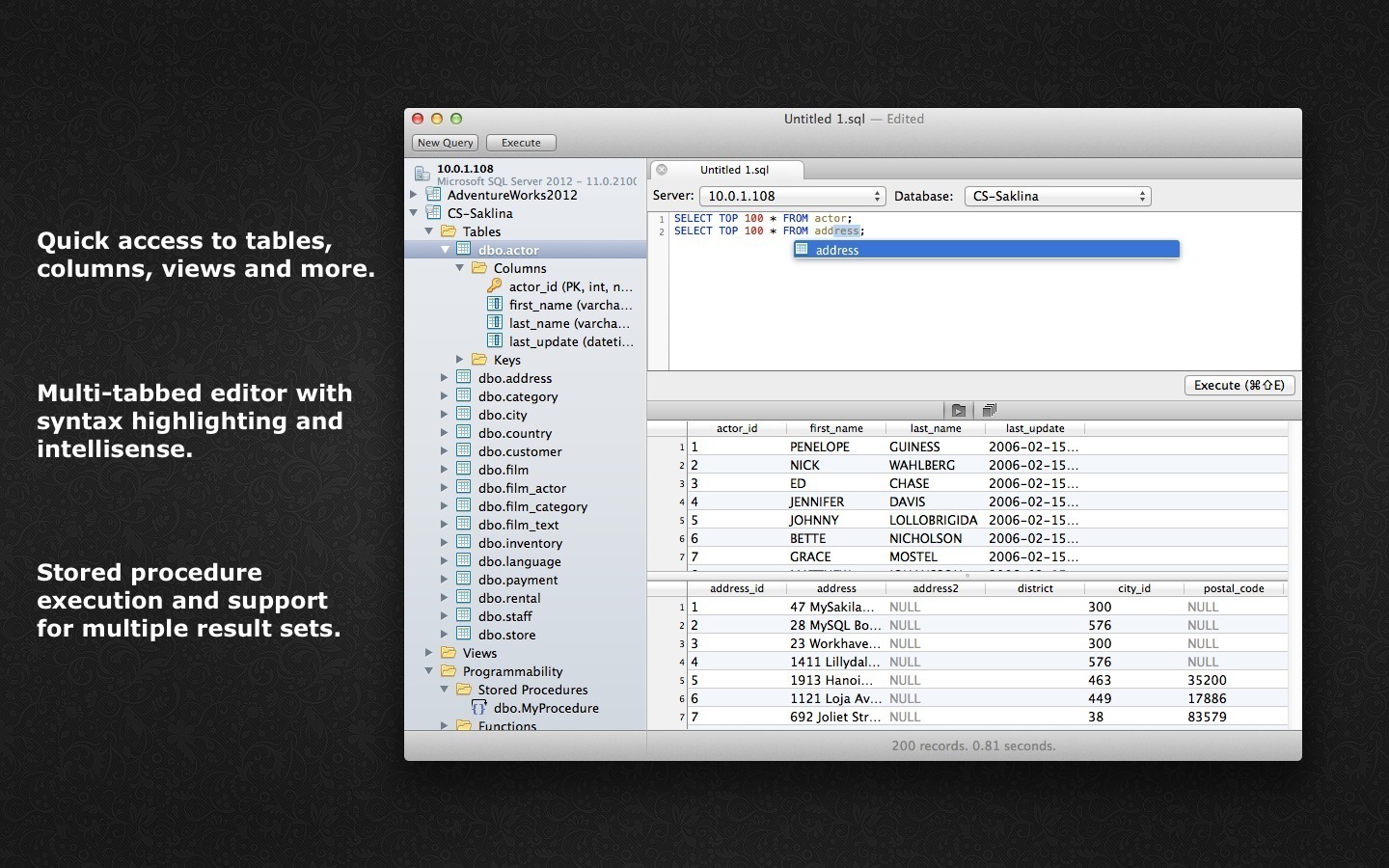
Tô sáng cú pháp , Intellisense thông minh , giao diện tab tiện lợi .
Thực thi đa truy vấn & truy cập nhanh bảng, cột .
**Yêu cầu Hệ thống:**
**macOS:** Yêu cầu **13.5 trở lên** để trải nghiệm mượt mà nhất.
**Cấu hình Tối thiểu:** Là ứng dụng nhẹ, hoạt động hiệu quả trên hầu hết MacBook hiện đại.
Nâng tầm trải nghiệm làm việc với SQL của bạn ngay hôm nay!
SQLPro Studio là công cụ quản lý cơ sở dữ liệu Postgres chất lượng cao, MySQL, Microsoft Management Studio và cơ sở dữ liệu Oracle.
Some of the major features include:
+ intellisense / automatic termination of SQL.
+ The syntax highlighting with customizable themes (including dark).
+ Tabbed interface for optimal user experience.
Context aware navigation + tree database, including quick access to tables, views, indexes, columns and more!
+ SQL Beautifier / Formatter.
+ Comprehensive database search.
+ NTLMv2 supported (but not required).
+ Support NetBIOS.
+ Support master password for added security.
Interesting facts about this article
SQLPro Studio supports the following database servers:
+ MySQL and MariaDB
+ PostgreSQL
+ Microsoft SQL Server (2005 and later)
+ Oracle (8i and above)
SQLPro_for_MSSQL_1.0.152
SQLPro for MySQL 1.0.36
SQLPro for MSSQL 1.0.171
SQLPro for MSSQL 1.0.188
SQLPro_for_MSSQL_1.0.307
SQLPro for MSSQL 2020.68
SQLPro_for_MSSQL_2020.104
SQLPro_for_MSSQL_2021.53
SQLPro_for_MSSQL_2021.106
SQLPro_for_MSSQL_2022.10
SQLPro_for_MSSQL_2022.15
SQLPro_for_MSSQL_2022.36
SQLPro_for_MSSQL_2022.70
SQLPro_for_MSSQL_2023.10
SQLPro_for_MSSQL_2024.73
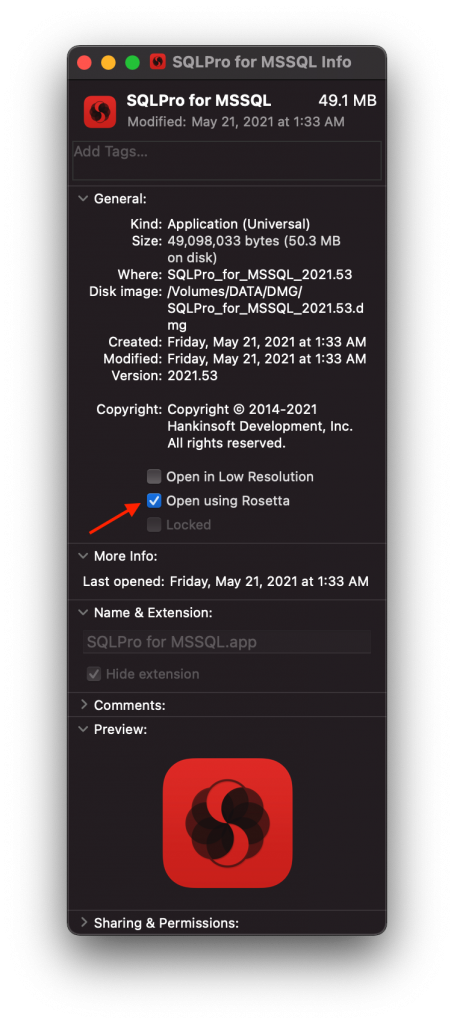
Trên M1 nếu mở bị mất “cr44ck” thì click chuột phải vào file trong Application> chọn Get Info> Stick chọn Open using Rosetta