

Vidmore Video Converter MacOS – Công cụ chuyển đổi Video/Audio
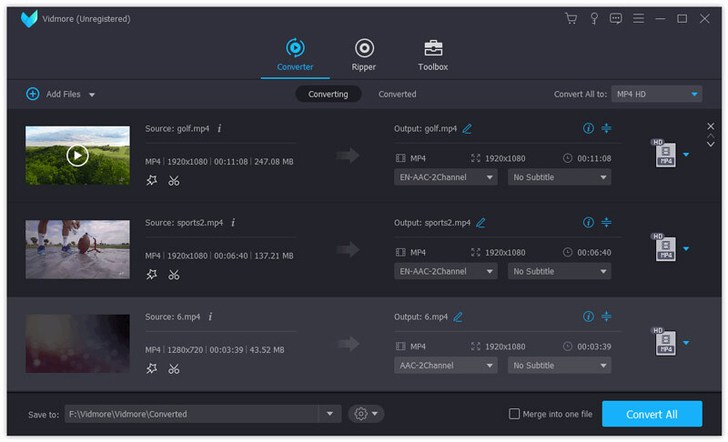
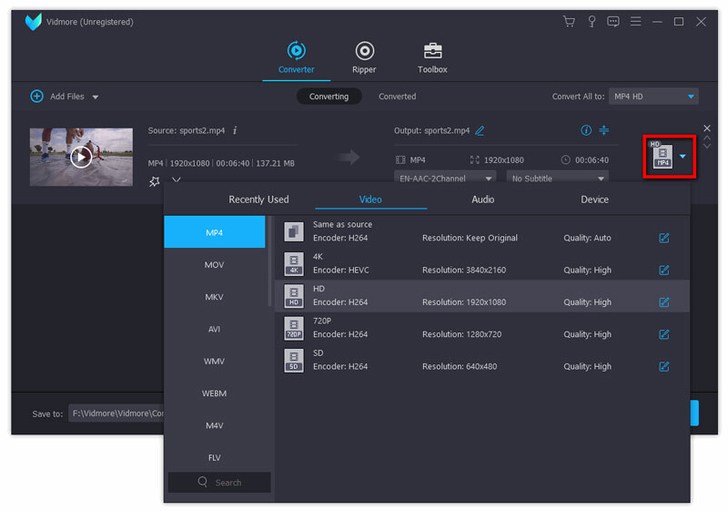
Chào bạn, người dùng Mac! Bạn đang tìm kiếm một giải pháp mạnh mẽ và dễ sử dụng để chuyển đổi các định dạng video và audio trên chiếc MacBook của mình? Vidmore Video Converter for macOS chính là trợ thủ đắc lực dành cho bạn! Phần mềm này mang đến trải nghiệm chuyển đổi mượt mà, hỗ trợ đa dạng các định dạng phổ biến, giúp bạn dễ dàng xử lý mọi tệp tin đa phương tiện.
Với Vidmore Video Converter, bạn không chỉ đơn thuần là chuyển đổi định dạng. Bạn còn có thể chỉnh sửa video cơ bản như cắt, xoay, ghép nối, thêm watermark một cách chuyên nghiệp. Thậm chí, bạn còn có thể nén video dung lượng lớn, tạo ảnh GIF độc đáo , hay nâng cao chất lượng video một cách ấn tượng.
**Yêu cầu hệ thống:**
* **Phiên bản macOS:** Tương thích với macOS 10.10 (Yosemite) trở lên, bao gồm cả các phiên bản mới nhất như macOS Ventura, Monterey, Big Sur, Catalina, Mojave, High Sierra, Sierra, Sequoia và Tahoe.
* **Cấu hình tối thiểu:** Bộ xử lý Intel đa lõi 64-bit hoặc chip Apple M1/M2/M3/M5, tối thiểu 2GB RAM (khuyến nghị 4GB), và 120MB dung lượng ổ cứng trống cho việc cài đặt.
Hãy để Vidmore Video Converter MacOS đồng hành cùng bạn, biến mọi ý tưởng sáng tạo về video trở thành hiện thực!
Vidmore Video Converter là công cụ mạnh mẽ giúp bạn chuyển đổi định dạng cả file Video và Audio. Ngoài chuyển đổi, bạn còn có thể xoay, cắt.. Video dễ dàng
Tính năng chính:
Interesting facts about this article
– Convert video for any device Vidmore Video Converter for Mac supports many kinds of devices, including the latest models of iPhone, iPad, Samsung Galaxy, Sony PlayStation and more, such as Xperia 10, Xperia XZ3, Xperia XZ2, Pixel 3, Pixel 3 XL, Mi 9, Mi 8, Mi MIX 3, LG G8, LG G7, HTC U12 life, Moto G7, etc.
– Various video editing functions If you want to edit your videos before conversion, with it, you could trim, rotate, crop, enhance, add watermark, change the brightness/contrast/saturation and hue of your videos.
High quality of the output files Perhaps you are worrying that after conversion, the quality of the converted files is not the same as the original files, with Vidmore Video Converter for Mac, you wont have this problem. It could keep the original quality of your videos, including 1080p HD and 4K Ultra HD videos.
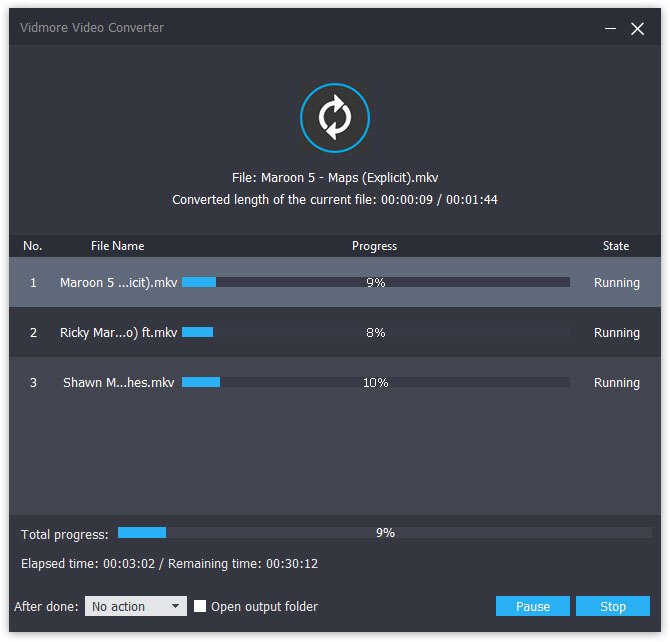
– Fast conversion speed With advanced hardware acceleration of NVIDIA CUDA, NVENC, Intel QSV and AMD APP.
 Vidmore_Video_Converter_1.0.16.93529
Vidmore_Video_Converter_2.0.6.5209
Vidmore_Video_Converter_2.0.8.5519
Vidmore_Video_Converter_2.0.10.6001
Vidmore_Video_Converter_2.1.8.7547
Vidmore_Video_Converter_2.1.12.8800.
Vidmore_Video_Converter_2.2.6.9885
Vidmore_Video_Converter_2.3.8.11252
Vidmore_Video_Converter_2.3.10.12098
Vidmore_Video_Converter_2.3.38.16886
Vidmore_Video_Converter_2.3.50.17159
Vidmore_Video_Converter_2.3.60.20956

