

## Duplicate Manager Pro macOS – Giải phóng không gian lưu trữ, tìm và loại bỏ file trùng lặp
Bạn đang gặp tình trạng ổ cứng Mac đầy ắp dữ liệu, khó tìm kiếm và lãng phí không gian lưu trữ quý giá? **Duplicate Manager Pro** là giải pháp hoàn hảo dành cho bạn! Phần mềm mạnh mẽ này được thiết kế để quét sâu vào hệ thống, tự động tìm ra và giúp bạn loại bỏ mọi loại file trùng lặp, từ ảnh , video , nhạc đến tài liệu , giải phóng dung lượng đáng kể cho MacBook của bạn.
Với giao diện trực quan, dễ sử dụng, Duplicate Manager Pro phù hợp cho cả người mới bắt đầu lẫn người dùng chuyên nghiệp. Bạn chỉ cần vài cú nhấp chuột để bắt đầu quá trình quét và dọn dẹp. Phần mềm còn cung cấp các chế độ quét thông minh, khả năng tùy chỉnh cao và tự động lựa chọn file trùng lặp để bạn tiết kiệm tối đa thời gian và công sức.
**Yêu cầu hệ thống:**
* **Phiên bản macOS:** Yêu cầu macOS 10.8 trở lên.
* **Cấu hình tối thiểu:** Dung lượng bộ nhớ tối thiểu, hoạt động hiệu quả với dung lượng file khổng lồ.
Hãy để Duplicate Manager Pro giúp bạn quản lý dữ liệu hiệu quả, giữ cho chiếc Mac của bạn luôn gọn gàng, nhanh nhạy và tối ưu hóa không gian lưu trữ. Tải về ngay hôm nay để trải nghiệm sự khác biệt!
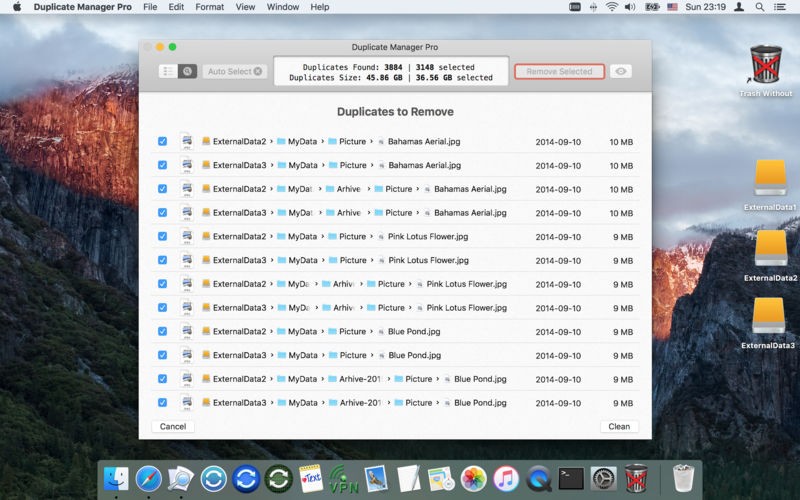
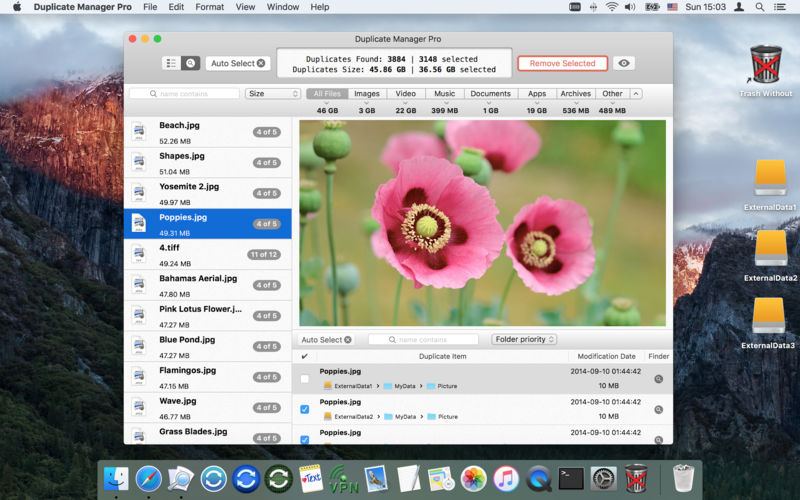
Duplicate Manager Pro giúp bạn tìm ra các file giống nhau và từ đó ra quyết định xoá hay giữ lại, nhờ đó giúp máy của bạn sạch sẽ và ít rác hơn.
Các tính năng chính:
Interesting facts about this article
- modes of finding files:
- find duplicate files
- find large files
- modes of file comparison by:
- content (Checksum SHA1)
- content and name
- name, date and size
- name and date
- name
- large files
- large files grouped by name
- Optimized to work with huge volumes of files. The minimum memory usage.
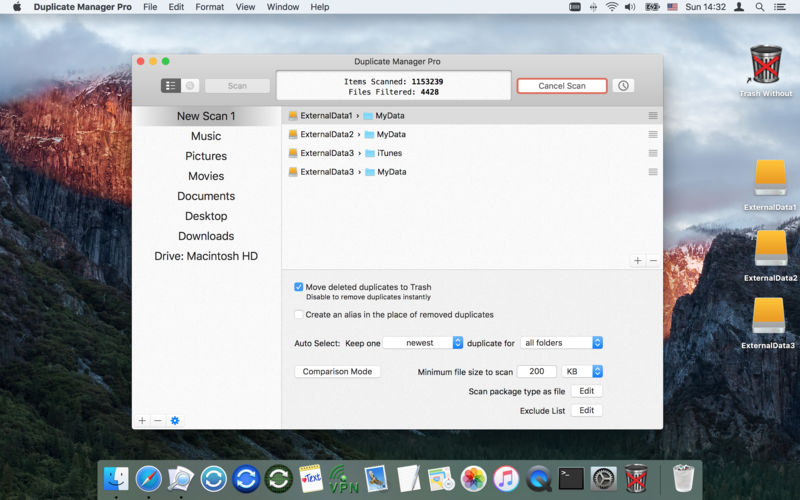
- Automatic scheduled scan every day, every week, or once at the scheduled time.
- Advanced search for duplicate groups and items of the selected group (name contains, name begins, path contains, path and name contains, …).
- Sorting for duplicate groups and items of the selected group.
- The settings for each scan job:
- Move duplicates to the Trash or remove them permanently.
- The ability to create an alias in the place of removed duplicates.
- Minimum file size to scan.
- Editable exclusion list for files, folders, file types (including hidden folders, files and file aliases).
- The ability to set the package types to scan as files (other packages will be scanned as folders).
- The ability to transform the app window to the compact indicator of the scan process.
- You can preview files using the built-in or external “QuickLook”. The ability to display multiple files (useful when you use the comparison mode by name).
- Copy, add, remove, move any scan job.
- Supports “Drag and Drop” mode.
- The ability to quickly jump to any file or folder which in the file path.
Compatibility: OS X 10.7 or later, 64-bit processor
Duplicate_Manager_Pro_1.3.9
Duplicate Manager Pro 1.4.1 [Universal M1 vs Intel]
Duplicate_Manager_Pro_1.4.2
Duplicate_Manager_Pro_1.4.4

