Tuyệt vời! Dưới đây là bài giới thiệu về **eXtra Voice Recorder Pro cho macOS**, một công cụ ghi âm tiện lợi dành cho người dùng cá nhân:
—
### **eXtra Voice Recorder Pro macOS – Trình Ghi Âm Đỉnh Cao Trên Menubar**
Chào mừng bạn đến với **eXtra Voice Recorder Pro** – người bạn đồng hành lý tưởng cho mọi nhu cầu ghi âm trên chiếc MacBook của bạn! Được thiết kế tối giản và thông minh, ứng dụng này cư trú ngay trên thanh Menubar, sẵn sàng ghi lại mọi ý tưởng, cuộc họp hay khoảnh khắc bất chợt chỉ với một cú nhấp chuột.
Với **eXtra Voice Recorder Pro**, việc ghi âm trở nên vô cùng dễ dàng và hiệu quả. Bạn có thể bắt đầu ghi âm ngay lập tức bằng phím tắt ⌨, thêm ghi chú chi tiết và cả hình ảnh minh họa vào mỗi bản ghi. Tính năng đánh dấu các đoạn quan trọng giúp bạn dễ dàng điều hướng và tìm lại thông tin cần thiết, đồng thời khả năng tiếp tục bản ghi dang dở cũng giúp bạn không bỏ lỡ bất kỳ chi tiết nào.
Ứng dụng cho phép bạn tổ chức các bản ghi âm một cách khoa học , nhập các tệp âm thanh có sẵn và xuất chúng dưới các định dạng phổ biến như MP3 hay M4A (AAC) . Ngoài ra, khả năng đồng bộ hóa dữ liệu qua Dropbox còn đảm bảo các bản ghi của bạn luôn sẵn sàng trên mọi thiết bị.
**Yêu cầu Hệ thống:**
Để cài đặt và sử dụng **eXtra Voice Recorder Pro**, máy Mac của bạn cần chạy **macOS 10.12 trở lên**.
**Cấu hình Tối thiểu:**
* **Hệ điều hành:** macOS 10.12 (Sierra) trở lên.
* **Dung lượng:** Khoảng 17.1 MB trống.
* **Ngôn ngữ:** Hỗ trợ Tiếng Anh và 3 ngôn ngữ khác.
Hãy để **eXtra Voice Recorder Pro** nâng tầm trải nghiệm ghi âm của bạn!
—
eXtra Voice Recorder Pro là sự kết hợp giữa trình ghi âm mạnh mẽ, chất lượng cao kiêm luôn phần mềm quản lý âm thanh.
Phần mềm khi chạy sẽ xuất hiện trên Menubar, bạn có thể thiết lập bắt đầu ghi âm chỉ bằng 1 phím tắt, có thể ghi chú thông tin vào mỗi file ghi âm, đánh dấu các phần quan trọng, sau đó tiếp tục ghi và lưu lên cloud. Công cụ tìm kiếm giúp bạn tìm bản ghi cần thiết nhanh chóng, ngoài ra còn hỗ trợ split để cắt đoạn cần thiết ra khỏi bản ghi hiện tại…
Tính năng chính:
Nhấn vào đây để xem chi tiết
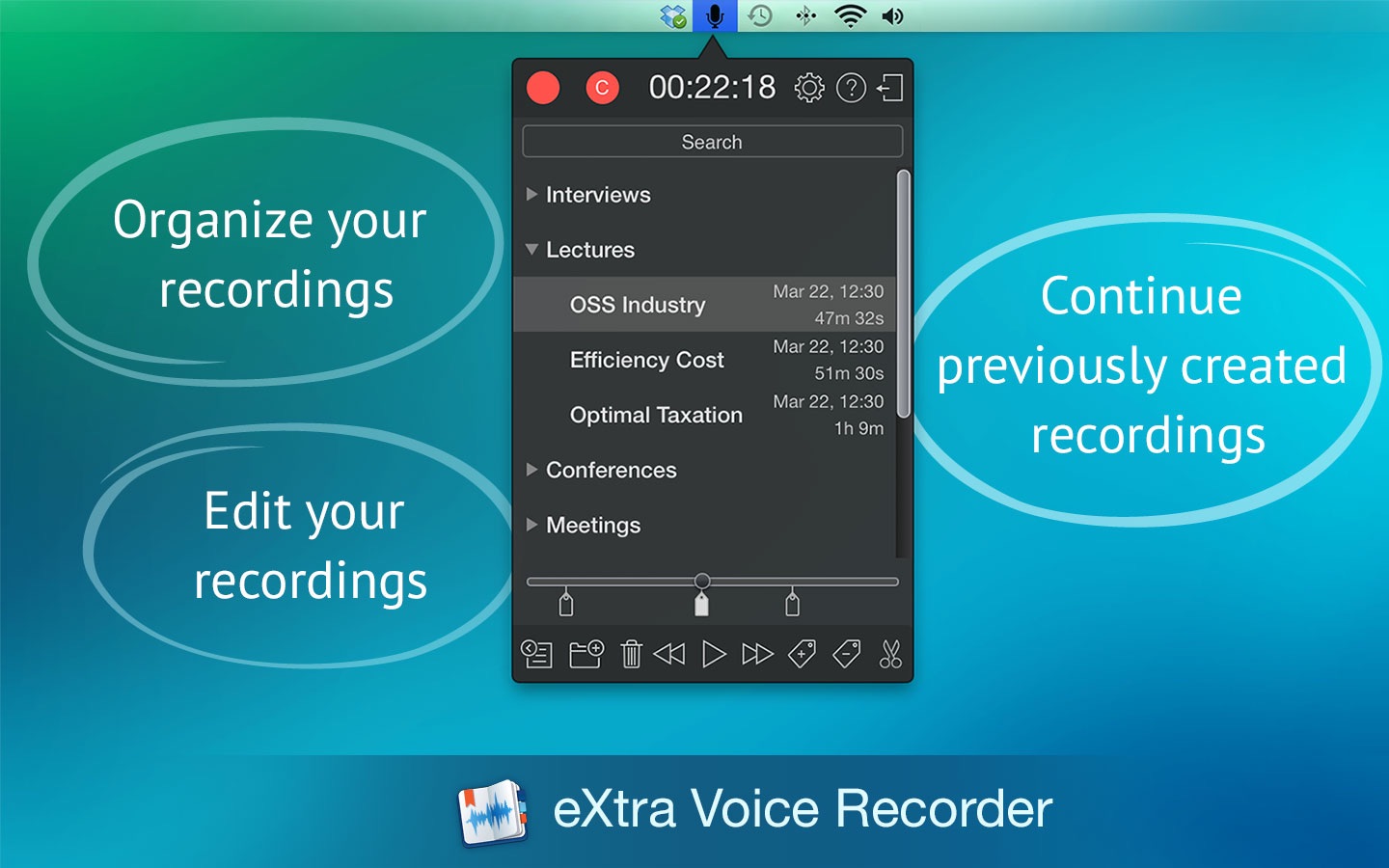
- Organize your recordings: Integrated flexible categorization and search tools will help you find the necessary recordings in no time.
- Supply your recordings with comments and photos: For convenience, you can add comments and photos to each recording. Moreover the app keeps photos synchronized with audio.
- Mark the most important parts of your recordings: Mark the most important parts of your recordings with tags and comments. They can be added during recording and afterwards. This will allow you to quickly find the necessary fragment in the future.
- Edit your recordings: The Split function allows you to quickly split a recording into several fragments.
- Recording without pauses: The sound detector turns the recording on when it detects sounds and turns it off during periods of silence.
- Continue previously created recordings: eXtra Voice Recorder allows you to continue previously created recordings at any time.
- All your recordings on all your devices: eXtra Voice Recorder is also available for iPhone and iPad. Learn more at xwavesoft.com
- Keep your recordings synced across your devices and your Dropbox account:Simply link eXtra Voice Recorder to your Dropbox account and you not only get access to your recordings from any device, but any changes in recordings will be immediately displayed in the eXtra Voice Recorder on your iPhone, iPad and Mac.
- Keep notes in the meta tags of recording: Now all information about the recording (markers, notes, photos, comments…) is stored in the meta tags and is available from any other application.
- Import existing recordings: Just drag recordings made in other applications into the program window to add them to eXtra Voice Recorder.
- Export to MP3 and M4A (AAC): eXtra Voice Recorder allows you to export a single recording or group of recordings to MP3 or M4A (AAC) format.
- Send recordings by Email: For convenience, you can send one or more recordings via email by making just a few clicks.
- Search recordings: The built-in search function will help you find a recording or a fragment by name, description or tag.
- Always at hand and ready to work: Support of a menu bar icon and global hotkeys enables you to start the recording right when you need it.
Tương thích hầu hết các phiên bản macOS
eXtra Voice Recorder Pro 3.13 [Universal M1 vs Intel]
TẢI VỀ