

Admin
03/12/2025
Share

## Filmage Screen MacOS: Công cụ Quay & Chỉnh sửa Video Toàn diện Cho Cá Nhân 🎬✨
Bạn đang tìm kiếm một giải pháp quay màn hình và chỉnh sửa video mạnh mẽ, dễ sử dụng trên MacBook của mình? 🤔 Filmage Screen MacOS chính là câu trả lời! Phần mềm đa năng này được thiết kế đặc biệt cho người dùng cá nhân, giúp bạn dễ dàng tạo ra những video chất lượng cao phục vụ cho học tập, công việc hay giải trí. 🚀
🌟 **Quay Màn Hình Đỉnh Cao:**
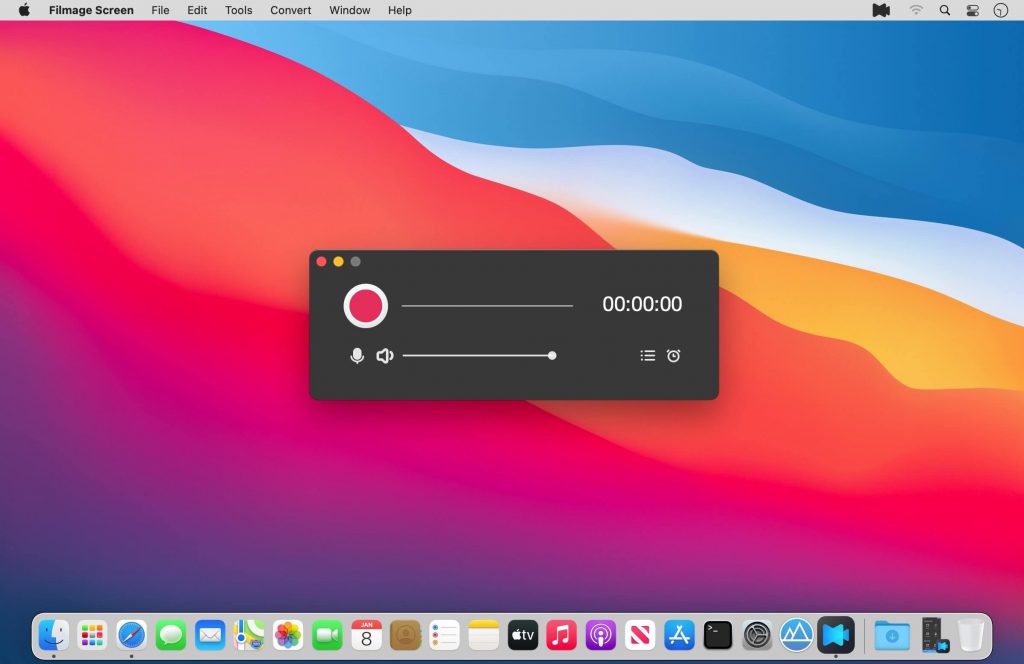
Filmage Screen cho phép bạn ghi lại mọi hoạt động trên màn hình Mac với chất lượng HD, hỗ trợ độ phân giải lên đến 4K 🌈. Bạn có thể tùy chỉnh khu vực quay, ghi lại cửa sổ cụ thể, thậm chí là quay cả màn hình iPhone/iPad của bạn qua Wi-Fi hoặc USB 📱. Tính năng Picture-in-Picture 🖼️ cho phép quay đồng thời màn hình và webcam, rất lý tưởng để tạo các bài hướng dẫn chuyên nghiệp.
🔧 **Chỉnh Sửa Video Chuyên Nghiệp:**
Không chỉ dừng lại ở việc quay màn hình, Filmage Screen còn tích hợp bộ công cụ chỉnh sửa video mạnh mẽ. Bạn có thể thêm văn bản ✍️, hình vẽ ✏️, hiệu ứng phụ đề động ✨, nhạc nền 🎶, cắt ghép video ✂️, và thêm giọng thuyết minh 🎤. Biến những đoạn phim thô thành tác phẩm ấn tượng chưa bao giờ dễ dàng đến thế!
🔄 **Chuyển Đổi & Phát Video Linh Hoạt:**
Phần mềm còn hỗ trợ chuyển đổi video sang hơn 500 định dạng khác nhau 🎞️, bao gồm cả định dạng cho iMovie và Final Cut Pro. Ngoài ra, Filmage Screen còn là một trình phát media mạnh mẽ, hỗ trợ hầu hết các định dạng video phổ biến 🎵.
✅ **Yêu cầu Hệ thống:**
* **Phiên bản macOS:** Yêu cầu macOS 10.13 High Sierra trở lên. 💻
* **Cấu hình Tối thiểu:**
* **CPU:** Intel i5 2.0 GHz trở lên (khuyến nghị Intel thế hệ thứ 6 hoặc mới hơn, tương thích cả chip Apple M1). 🚀
* **RAM:** 8 GB RAM (16 GB được khuyến nghị cho video HD và 4K). 🧠
* **Ổ cứng:** Ít nhất 10 GB dung lượng trống (SSD được khuyến nghị). 💾
Hãy khám phá sức mạnh sáng tạo không giới hạn với Filmage Screen MacOS! 🎉
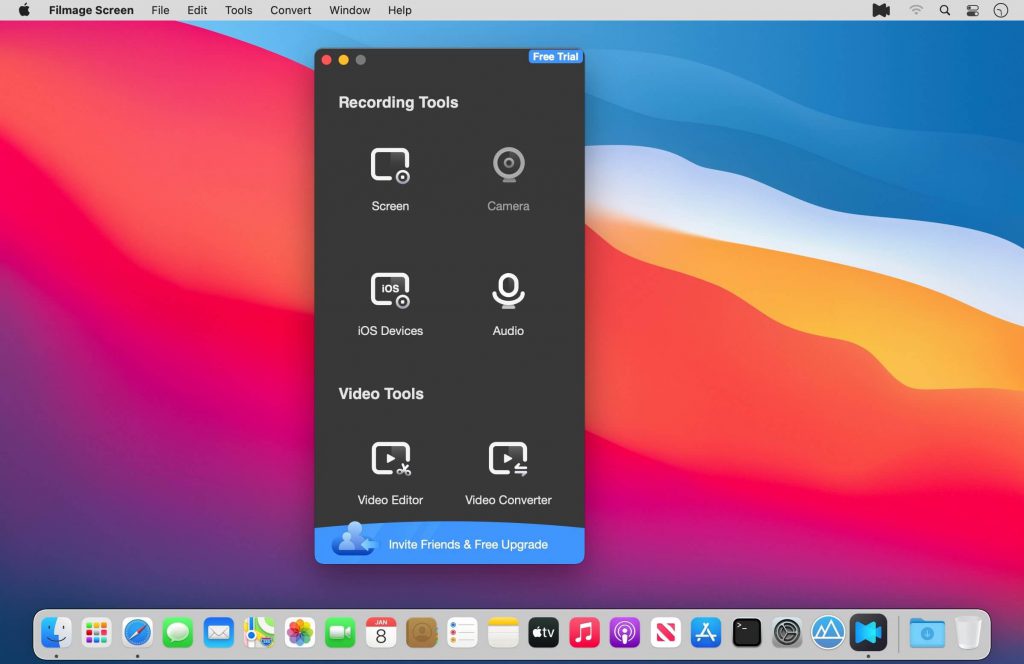
Filmage Screen = Trình ghi màn hình + Trình ghi âm thanh + Trình chỉnh sửa video + Trình chuyển đổi định dạng video + Trình phát video + Trình tạo GIF + Quản lý phương tiện + Ghi âm cuộc họp… tất cả trong một
Intuitive Video/Audio Recording Tools
Interesting facts about this article
- Record a full screen, a target window or any custom areas
- Picture in picture mode helps to create a video overlay that you place one video on top of another video and then play them simultaneously. External camera equipment supported when using picture in picture mode.
- Scheduled recorder supports to schedule a screen recording. It will start / stop recording automatically
- Use your built-in camera or use Logitech webcam to create YouTube movies
- Record iPhone/iPad screen and mirror iPhone/iPad
- Record Mac and iPad/iPhone screen simultaneously
- Capture audio system sound, microphone sound, or any other sound with system built-in microphone, computer sound card or any audio input devices
- Auto Mode supports to record online meetings, online courses with ease
- Set different Frame Rates(15fps-60fps) for a smoother video
- Support to set cursor effect for a better presentation
- No recording time limits
Powerful Videos Converter Tools
- Convert any videos to MP4, MOV, 3GP, VOB, MKV, M4V, WMV, AVI, MPG, FLV, F4V, SWF, TS, and more other video formats
- Export your videos as animated GIFs(GIF maker)
- Batch converter allows to convert videos to the same format or different formats simultaneously
Professional Video Editing Suite
- Enhance videos with full editing suite for faster, easier editing
- Drag videos, audios, images into video timeline and move them as you like
- Professional video edit suite with voiceover and dynamic subtitle effect, highly customizable
- Edit video with basic editing tools: texts box, shapes, freehand drawing, music, and edit with split, cut, delete and more
- Customize the content / color / size / position of text to create personalized subtitles as text watermarks for copyright protection
Comprehensible Media Player
- Support play almost any video format: MP4, MOV, AVI, MKV, F4V, F4B, more
Media Files Management
- Upload and share media files to Youtube and other platforms
- Easily rename, edit, convert, play, export or delete video files

Tương thích: macOS 10.15.6 or later 64-bit
Filmage_Screen_1.2
Filmage_Screen_1.2.2
Filmage_Screen_1.2.3
Filmage_Screen_1.2.4
Filmage_Screen_1.3.1
Filmage_Screen_1.3.3
Filmage_Screen_1.4.0
Filmage_Screen_1.4.2
Filmage_Screen_1.4.3
Filmage_Screen_1.4.5
Filmage_Screen_1.4.7









