Admin
04/12/2025
Share
**Graphic macOS – Công cụ đồ họa Vector gọn nhẹ hướng đến khách hàng cá nhân.**
✨ Khám phá **Graphic macOS** – trợ thủ đắc lực cho mọi nhà sáng tạo cá nhân! 🎨 Công cụ đồ họa vector mạnh mẽ này được thiết kế đặc biệt cho macOS, mang đến trải nghiệm thiết kế mượt mà và trực quan. 🚀
**Graphic macOS** nổi bật với giao diện thân thiện, dễ sử dụng, cho phép bạn dễ dàng tạo ra các tác phẩm nghệ thuật vector phức tạp, từ logo độc đáo 🌟 đến bản vẽ kỹ thuật chi tiết 📐.
✍️ Với bộ công cụ vẽ Bezier tiên tiến, bút vẽ linh hoạt và các công cụ tạo hình đa dạng, mọi ý tưởng sáng tạo của bạn đều có thể trở thành hiện thực. 🌈 Phần mềm hỗ trợ nhập/xuất đa dạng định dạng như SVG, PDF, và PSD, giúp bạn tích hợp liền mạch với các ứng dụng khác. 🔄
💻 **Yêu cầu hệ thống:**
Để trải nghiệm tốt nhất, **Graphic macOS** hoạt động hiệu quả trên các phiên bản macOS gần đây. 🍎 Cấu hình tối thiểu được đề xuất là máy Mac có bộ xử lý Intel hoặc Apple Silicon, cùng với dung lượng RAM đủ để chạy các ứng dụng đồ họa hiện đại. ⚙️ Vui lòng kiểm tra trang App Store để biết thông tin chi tiết nhất về phiên bản macOS và cấu hình yêu cầu.
✨ Hãy để **Graphic macOS** chắp cánh cho sự sáng tạo của bạn! ✨
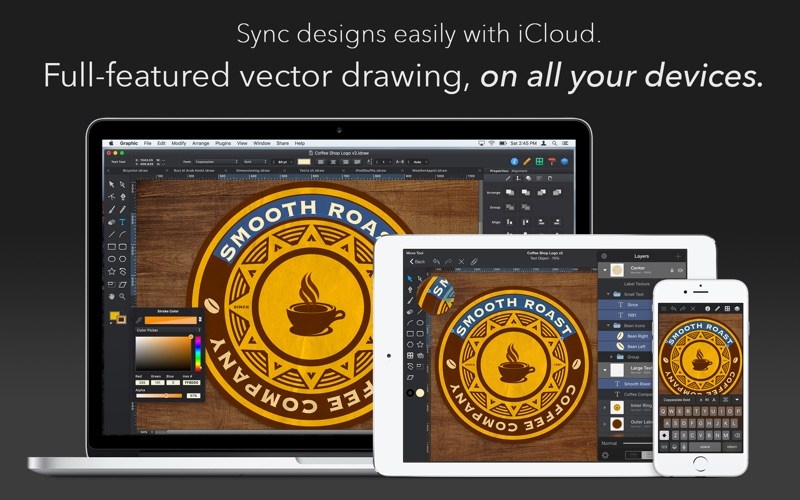
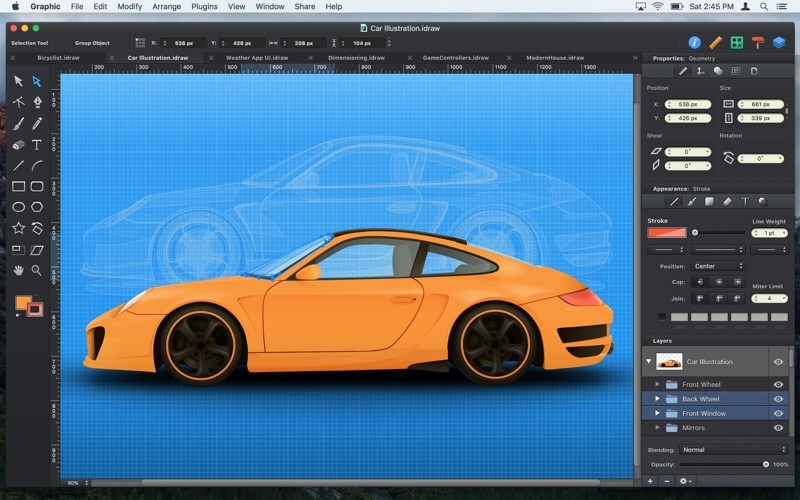
Graphic là công cụ đồ họa Vector có dung lượng khá nhẹ nhưng lại có chức năng và giao diện rất chuyên nghiệp
Tính năng chi tiết:
Nhấn để xem chi tiết
Import/Export
- Import SVG, PDF, EPS, and Photoshop PSD files.
- Export designs as SVG, PDF, PNG, PSD, JPEG, GIF, and TIFF files.
- Copy selected objects as PNG, PDF, SVG, CSS properties, and Core Graphics code.
- Export icons, bitmap and vector images directly into Xcode xcasset folders.
- Export layers and tagged objects automatically as individual files.
Photoshop PSD Import/Export
- Import layered PSD files with vector paths and effects.
- Shape layers are imported as editable vector paths.
- Layer effects are imported as fully editable drop shadows, inner shadows, glows, etc.
- Export designs as layered PSD files.
Professional Drawing Tools
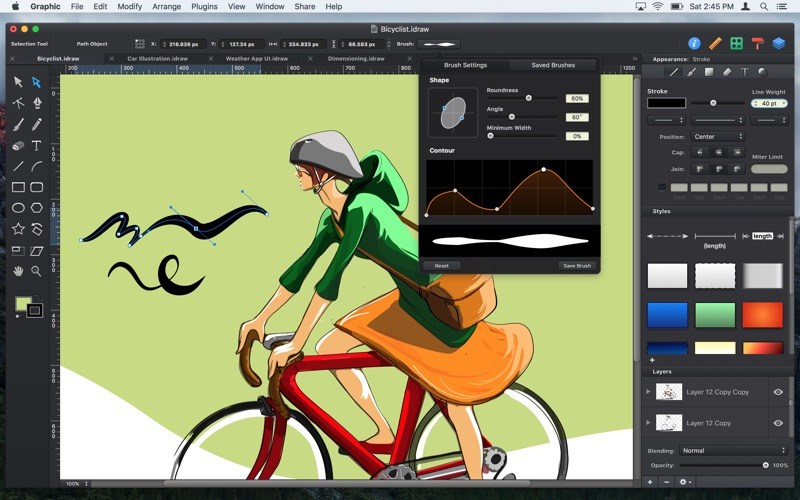
- Full-featured Bezier Pen tool for creating custom shapes.
- Brush and Pencil tools for fluid drawing and sketching.
- Essential set of shape creation tools.
- Boolean path combinations.
- Path multi-point selection and editing.
- Join, connect, and disconnect paths.
- Rotate, Scale, and Shear transform tools.
- Compound Paths.
- Convert Anchors tool.
- Eraser tool.
- Scissor tool.
- Dimensioning tool.
Layer Styles
- Apply multiple strokes, fills, and effects to any object.
- Apply inner shadows, drop shadows, and glow effects to objects.
- Arrange the order of fills, strokes, and effects using drag and drop.
- 24 vibrant blend modes, including Multiply, Overlay, Linear Burn, Vivid Light, etc.
- Set blend modes for layers, shapes, fills, strokes, shadows, and glow effects.
Many other powerful features, including:
- Shape Libraries.
- Appearance Styles.
- Text on Path.
- Multi-style Text.
- Layers and Groups.
- Smart Alignment Guides.
- Labels and Dimensioning.
- Canvas Scale, Rulers, and Units (mm, cm, inches)
- Canvas Styles.
- Snap to Grid / Snap to Point.
- Align and Distribute objects.
- Duplicate and Transform.
- Linear, Radial, and Angle gradients.
- Image masking.
- Convert Text to Paths.
- Inner and Outer Strokes.
- Outline Stroke.
- Duplicate and Transform.
- RGB, HSB, and Hex Color Pickers.
- Pixel-Preview Mode.
- Import PDF files and annotations.
- Export as vector-based PDF and SVG files.
- Plugins / Powerful scripting API.
- ColorSync Color Management.
OpenGL-optimized Drawing
- Fast rendering of very complex projects.
- Multi-threaded drawing ensures lag-free scrolling and zooming
Graphic_3.1
👉💕Tải Về