

Admin
04/12/2025
Share
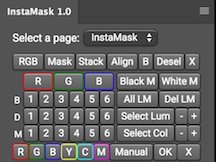
🚀 **Giới thiệu InstaMask macOS 11 – Mặt nạ Độ sáng cho Photoshop CC** 🚀
✨ Chào mừng các nhà sáng tạo cá nhân đến với InstaMask macOS 11! 🎨 Công cụ mạnh mẽ này mang đến cách tiếp cận đơn giản hóa việc tạo mặt nạ độ sáng (luminosity masks) chuyên nghiệp cho Photoshop CC. Biến những chỉnh sửa phức tạp thành những thao tác dễ dàng, giúp bạn nâng tầm tác phẩm nhiếp ảnh. 🖼️
💡 **Yêu cầu Hệ thống:** InstaMask hoạt động mượt mà với **Photoshop CC** 📸, đặc biệt khuyến nghị phiên bản **CC 2015.5 trở lên** ⬆️ để có hiệu suất tốt nhất. Yêu cầu cấu hình tối thiểu tương đương với yêu cầu của phiên bản Photoshop CC bạn đang sử dụng trên macOS.
🌟 **Tính năng nổi bật:**
* Tạo 18+ mặt nạ độ sáng 16-bit chất lượng cao. ✨
* Khả năng kết hợp (intersect) các mặt nạ để tùy chỉnh sâu sắc. 🔗
* Phương pháp chọn điểm & nhấp chuột trực quan.🖱️
* Thanh trượt tinh chỉnh linh hoạt cho lựa chọn hoàn hảo. 🎚️
* Tạo các mặt nạ màu sắc độc đáo. 🌈
* Tối ưu hóa quy trình làm việc, tiết kiệm thời gian quý báu. ⏱️
🎉 InstaMask giúp bạn kiểm soát ánh sáng và chi tiết hình ảnh một cách tinh tế, nâng cao khả năng sáng tạo và đạt được kết quả ấn tượng cho mọi dự án cá nhân! 🌟
A fantastic new panel that will make masks light exposure and mixing easier than ever. InstaMask allows you to create and develop any mask to meet your needs with just a few clicks. And the great news is, although this is a separate panel.
The panel only works in Photoshop CC. We are working on a version of CS6, but we do not know whether it will succeed. CS6 and flash panels have very little support now neceassary few developers have the skills to make advanced panels like this. However, we are doing our best.
These are some of the powerful new features of InstaMask:
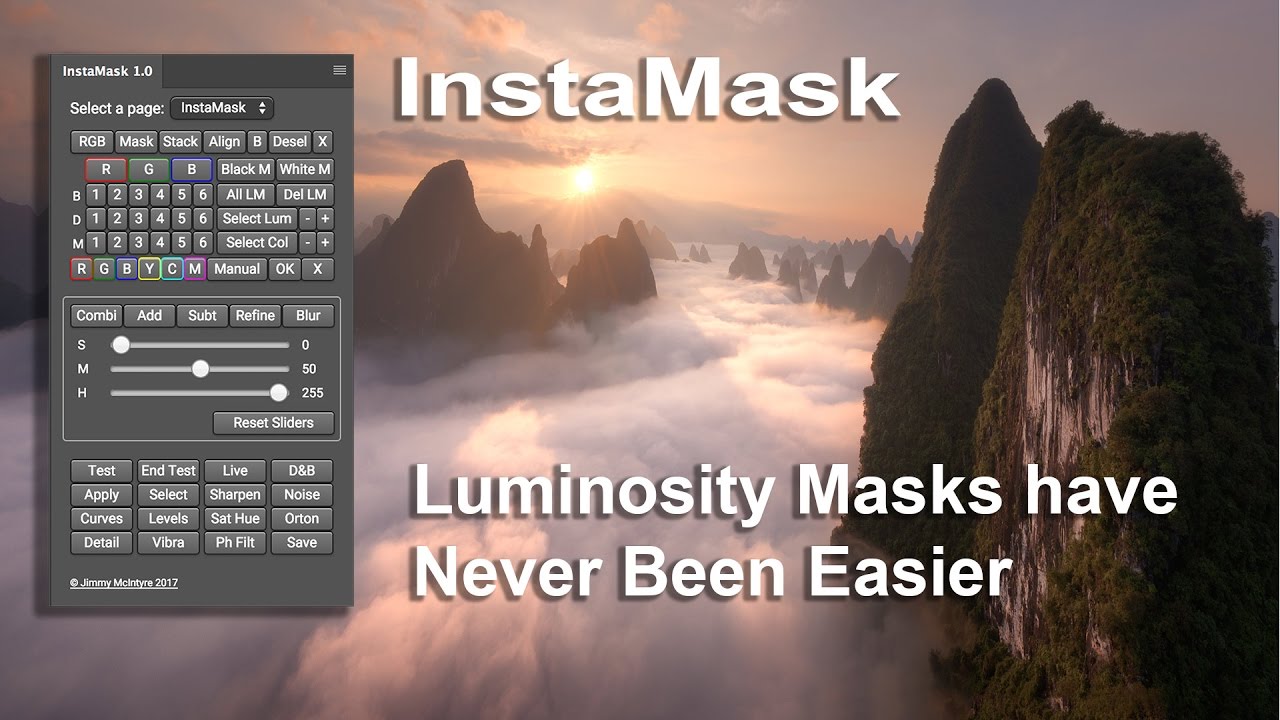
– We can create luminosity masks 18, 16 bits. These are made individually to keep our file size to a minimum.
– Beyond that, we can also build these 18 masks around any of the Red, Green and Blue channels, so we have a total of 72 masks at our disposal.
– We can cross any of these masks each other. Therefore, we can add / subtract any mask to / from the RGB channel, for example, with any mask of the Red, Green and Blue channels, if desired.
– We have two new methods of point and click to develop advanced selections based on color or brightness. Simply click on an area of the image and a mask will be built around it. And we can further refine these masks with the + and – buttons, which restrict or loosen the selection.
– InstaMask has 3 convenient sliders that complement workflow 16-bit, allowing us to develop our masks the perfect choice.
– There is also a whole range of new color masks.
– We can apply any mask any layer. Taking this further, before applying the mask, we can test it on any layer and make adjustments as needed.
– With split screen, we can use our sliders and adjust the mask, while also seeing the direct change in the image.
– With all application buttons, we have more or less all types of cover layer, so we can apply our masks and adjustment layer.
InstaMask_v1.1
www.fshare.vn/file/T64P2SMEVXSW









