

Admin
03/12/2025
Share
## PDFpenPro for macOS: Công Cụ Chỉnh Sửa PDF Toàn Diện Dành Cho Bạn! 🚀
Bạn đang tìm kiếm một giải pháp mạnh mẽ để tạo và chỉnh sửa các tệp PDF ngay trên chiếc MacBook yêu quý của mình? 🤔 Hãy để PDFpenPro for macOS giúp bạn biến mọi ý tưởng thành hiện thực! Với giao diện thân thiện và bộ tính năng đồ sộ, PDFpenPro Pro là trợ thủ đắc lực cho mọi nhu cầu về PDF của cá nhân bạn. ✨
🌟 **Tạo Lập và Biến Hóa PDF Dễ Dàng:**
PDFpenPro cho phép bạn tạo mới tài liệu PDF từ đầu, hoặc chỉnh sửa trực tiếp nội dung văn bản, hình ảnh 🖼️ và thêm chữ ký ✍️ vào các tệp PDF hiện có một cách mượt mà. Không còn rắc rối với việc chuyển đổi định dạng!
💡 **Các Tính Năng Nổi Bật:**
* **Chỉnh sửa văn bản:** Sửa lỗi chính tả, thay đổi nội dung như đang làm việc với Word. 📝
* **Thêm hình ảnh & Chữ ký:** Làm phong phú tài liệu với hình ảnh hoặc xác nhận bằng chữ ký số. 🖼️✍️
* **Điền & Ký biểu mẫu:** Hoàn thành các biểu mẫu PDF tương tác một cách nhanh chóng. 📄
* **Bảo mật & Chỉnh sửa:** Xóa hoặc làm mờ thông tin nhạy cảm để bảo vệ quyền riêng tư. 🔒
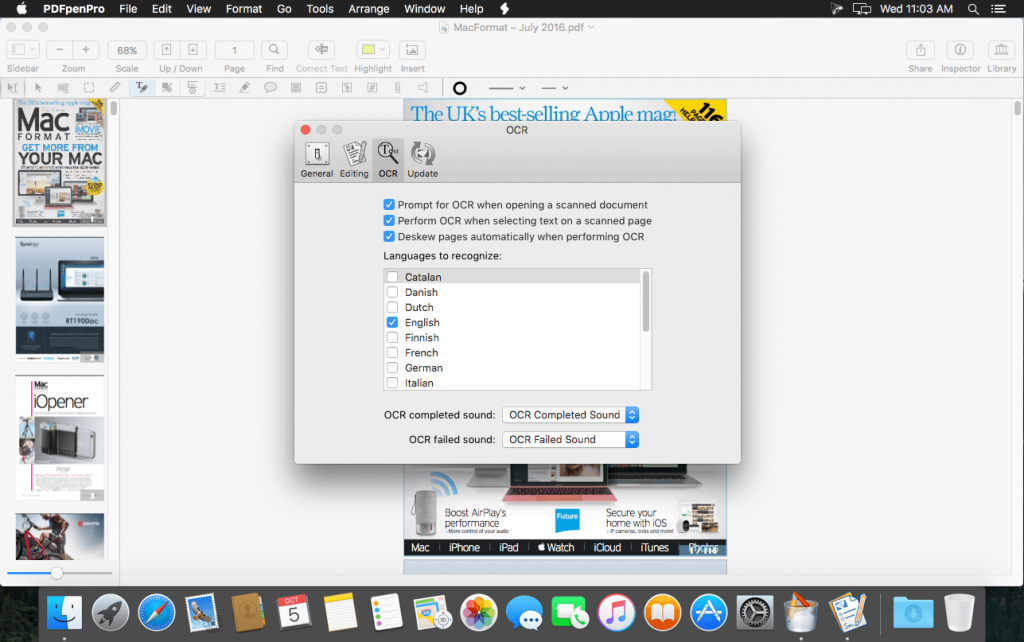
* **OCR thông minh:** Chuyển đổi tài liệu scan thành văn bản có thể tìm kiếm và chỉnh sửa. 🔍
* **Kết hợp & Sắp xếp:** Hợp nhất nhiều tệp PDF hoặc thêm/xóa trang tùy ý. ➕➖
* **Xuất đa định dạng:** Lưu PDF dưới dạng Word, Excel, PowerPoint và nhiều hơn nữa. 📤
✅ **Yêu cầu Hệ thống:**
Để cài đặt và trải nghiệm PDFpenPro mượt mà, máy Mac của bạn cần chạy macOS 10.14 (Mojave) trở lên. 💻 Đảm bảo cấu hình tối thiểu để có hiệu suất tốt nhất!
Hãy khám phá sức mạnh của PDFpenPro for macOS ngay hôm nay và nâng tầm trải nghiệm làm việc với PDF của bạn! 🎉
Chỉnh sửa file PDF dễ dàng với PDFpen. Thêm văn bản, hình ảnh và chữ ký. Sửa chữa. Điền các mẫu đơn PDF. Sáp nhập, xóa và sắp xếp lại các trang. Tạo và chỉnh sửa PDF hình thức và nội dung của bảng
Ngoài những tính năng mới này, PDFpenPro còn có khả năng chuyển đổi trang web thành tập tin PDF. Đây là ưu điểm vượt trội so với phiên bản thông thường, bao gồm: tạo dạng PDF cross-platform và tạo bảng nội dung.
Features of PDFpenPro
- Add text, images and signatures to PDF
- Correct text in original PDF with editable text blocks
- Fill out interactive PDF forms and sign them
- Redact or erase text, including OCR text
- Search and redact text; search and replace text
- Export in Microsoft® Word format
- Scan directly from Image Capture or TWAIN scanners
- Perform OCR (Optical Character Recognition) on scanned documents
- Viewable OCR layer for proofing OCR text from scanned pages
- Adjust resolution, color depth and contrast, skew, and size of an image or scanned document
- Sign PDF forms via interactive signature fields (not digital signatures)
- Insert and remove pages; re-order pages in a PDF by drag-and-drop; combine PDFs
- Move, resize, copy and delete images in original PDF
- Save PDFs directly to Evernote
- Copy and paste rich text; retain fonts and formatting when copying from PDFs, including columns
- Context-sensitive popup-menus enable quick edits
- Add (and print) notes and comments
- Mark up documents with highlighting, underscoring and strikethrough
- Save frequently-used images, signatures, objects and text in the Library
- Apply business-related and sign here stamps via the Library
- Print notes and comments with or without the original text
- Print a list of all annotations along with the document
- Full screen mode, as well as zoom to document width and zoom to actual document size
- Password protect a document with up to 256-bit AES encryption
- Compatible with iCloud Drive
- Sync Library items with PDFpen for iPad and iPhone via iCloud
- Automate PDF manipulations with AppleScript
- Available in English, Japanese, German, French, Italian, and Spanish
PDFpenPro_12.1.1
PDFpenPro_12.1.2
PDFpenPro_12.2
PDFpenPro_12.2.1
PDFpenPro_12.2.2
PDFpenPro_v12.2.3
PDFpenPro_13.0
PDFpenPro_13.0.1 [Universal M1 vs Intel]
PDFpenPro_13.1
Các bản cũ hơn









