

Admin
04/12/2025
Share

For personal Mac users seeking a more organized and efficient file search experience, **Tembo** emerges as a compelling alternative to macOS’s built-in Spotlight. 🚀 This friendly file search assistant is designed to help you find your documents, folders, images, videos, and more with remarkable speed and ease. ✨
Tembo leverages the powerful Spotlight engine 💡 but presents search results in a more intuitive, categorized format. Instead of an overwhelming list, you’ll find your files neatly grouped by type, with the top matches displayed first. This makes locating your desired file much simpler and more enjoyable. 😊
For users who need to dive deeper, Tembo offers context-sensitive filters. These filters allow you to quickly narrow down extensive lists of results (up to 50,000!), making it easy to pinpoint exactly what you’re looking for based on specific criteria like file type, resolution, author, and more. 🎯
Tembo is optimized for both Intel and Apple Silicon Macs, ensuring smooth performance across a range of Apple devices. 💻
**System Requirements:**
Tembo 3.2 and newer requires **macOS 12.3 or later** with Spotlight indexing enabled. 🌟 It is fully compatible with macOS 26 (Tahoe).
The minimum configuration for optimal performance includes a Mac with Spotlight indexing enabled. ⚙️
Tembo offers a free trial, allowing you to experience its streamlined approach to file searching before committing. Give it a try and rediscover the joy of finding files on your Mac! 🎉🌟👍
Tembo là một công cụ tìm kiếm hiệu quả dựa vào công nghệ Spotlight. Công việc của Tembo là giúp việc tìm kiếm các file, email message, bookmark,…càng dễ càng tốt.
Các tính năng chính:
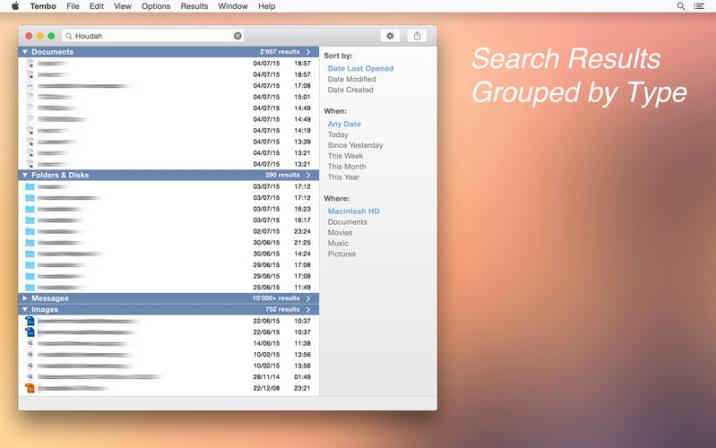
Nhóm kết quả tìm kiếm:
Lần đầu tiên sử dụng phần mềm này, bạn sẽ thấy Tembo được lấy cảm hứng từ giao diện Spotlight gốc như chúng ta thấy trong Mac OS X Tiger.
Kết quả tìm kiếm được nhóm lại theo các mục khác nhau. Các tùy chỉnh cho phép các mục này có thể bật, tắt hoặc tái sắp xếp.
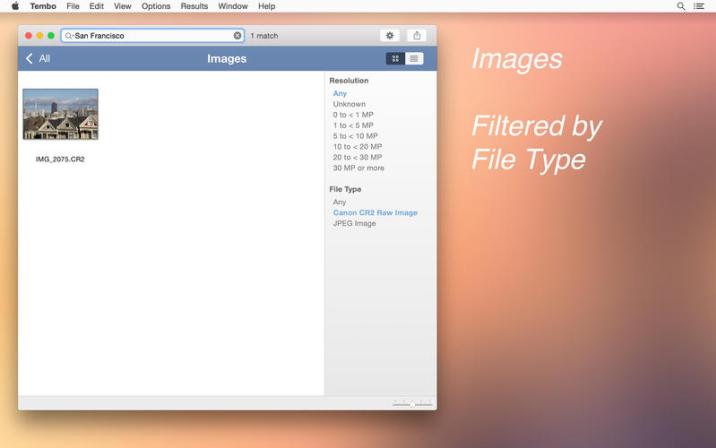
Drill Down: chi tiết và lọc
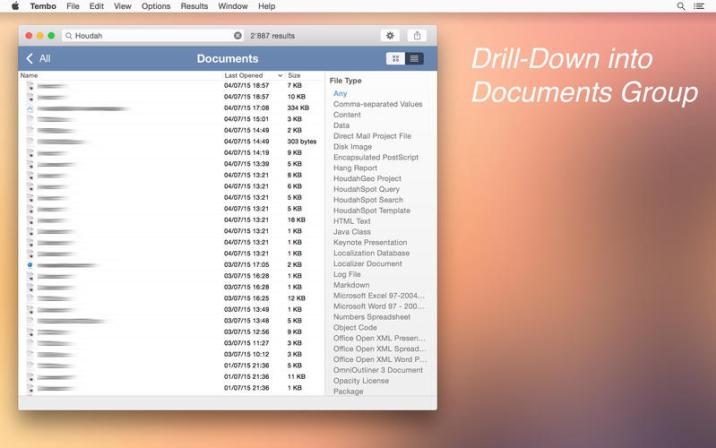
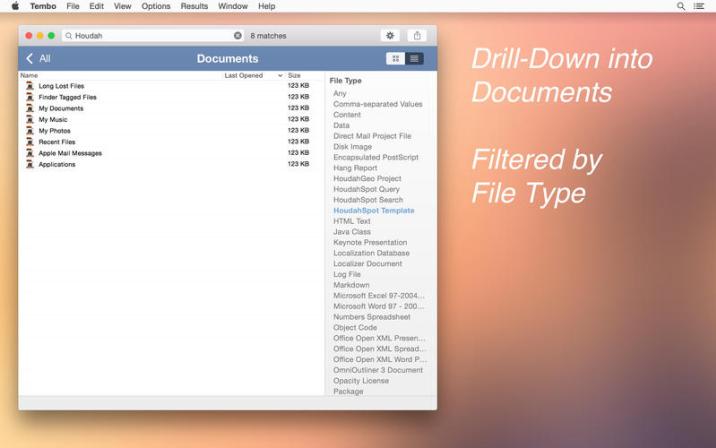
Đằng sau một mũi tên nhỏ trên thanh tiêu đề của mỗi nhóm bạn sẽ thấy sức mạnh thực sự của Tembo: drill-down. Tembo có thể liệt kê lên tới 2500 kết quả tìm kiếm cho mỗi nhóm. Tại đây bạn có thể thấy bộ lọc phù hợp với nội dung. Điều này sẽ giúp bạn lọc qua một danh sách kết quả rất dễ dàng. Ví như với các message, bạn có thể lọc chúng theo chủ đề, người gửi và người nhận.
Không chỉ là một công cụ tìm kiếm file:
Tembo là không chỉ là một công cụ tìm kiếm file. Phần mềm này hoạt động như một tiện ích mở rộng đối với ứng dụng email, ứng dụng iChat để định vị các message. Tembo cũng hỗ trợ tiện ích mở rộng dành cho Safari để tìm kiếm bản ghi tìm duyệt và các bookmark,….
Đọc bài sau để biết cách thuoc trên macOS Sierra: Hướng dẫn chạy file thuoc bị lỗi trên Sierra
Tembo 2.1.3









