

Admin
04/12/2025
Share
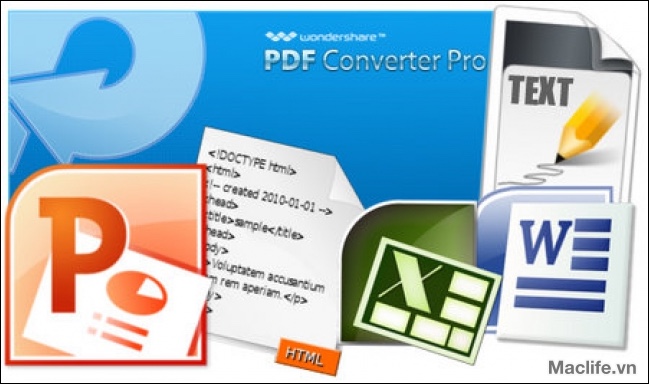
## Wondershare PDF to Word MacOs – Chuyển đổi PDF sang Word Dễ dàng cho Cá nhân 🚀
Bạn đang gặp khó khăn với các tệp PDF cứng nhắc trên chiếc MacBook yêu quý của mình? Wondershare PDF to Word for Mac chính là giải pháp hoàn hảo, được thiết kế riêng để giúp bạn chuyển đổi các tài liệu PDF sang định dạng Word 📄 một cách nhanh chóng và chính xác, ngay cả khi bạn là người dùng cá nhân. Hãy tạm biệt những thao tác sao chép thủ công tốn thời gian và rườm rà! ✨
Phần mềm này mang đến trải nghiệm chuyển đổi mượt mà, giữ nguyên toàn bộ nội dung gốc như văn bản, bố cục, hình ảnh, siêu liên kết, bảng biểu và đồ họa 🖼️. Điều này có nghĩa là bạn có thể chỉnh sửa tài liệu Word sau chuyển đổi mà không lo mất đi định dạng hay thông tin quan trọng.
**Yêu cầu hệ thống:**
* **Phiên bản macOS:** Phần mềm tương thích với các phiên bản macOS từ 10.6 (Snow Leopard) trở lên, bao gồm cả các phiên bản mới hơn như 10.10 (Yosemite) và 10.12. 🍎
* **Cấu hình tối thiểu:** Máy Mac của bạn cần có bộ xử lý Intel 512MHz trở lên và tối thiểu 512MB RAM. Dung lượng ổ cứng trống khoảng 100MB là đủ để cài đặt. 💽
Với Wondershare PDF to Word MacOs, việc chỉnh sửa, tái sử dụng nội dung PDF chưa bao giờ đơn giản đến thế. 🌟 Hãy trải nghiệm sự tiện lợi và hiệu quả ngay hôm nay! 👍
Wondershare PDF to Word is a PDF to Word converter specially designed for Mac OS X users. It converts PDF to Word and preserves all the text, images, layouts, hyperlinks, tables and graphics with high accuracy. After conversion, you can easily edit PDF files or reuse the contents in other applications.
Convert PDF to Word on Mac
•Extract all the text, layouts, images, hyperlinks, tables, columns and graphics of the original PDF files to editable Word documents
•Support exporting Microsoft Word 2008/2011 (.docx), Rich Text Format (.rtf)
Convert Encrypted PDF Files
•If the PDF file is protected with Owner Password (password is set by the owner to protect the PDF file from copying and editing), PDF to Word can convert the PDF file directly without asking for the password
•If the PDF file is protected with User Password (password is set by the owner to protect the PDF file from opening, and it’s also called Open Password), PDF to Word requires users to enter the right password for conversion.
Batch and Partial Conversion Modes
•Batch conversion mode allows you to import up to 50 PDF files to the panel for conversion at one time. This conversion mode would highly improve the efficiency when you need to convert multiple PDF files to Doc files.
•Partial conversion mode allows you to flexibly convert selected pages from the large PDF file, by customizing the specific pages or page ranges. This conversion mode would be time-saving when you just want to extract some special pages from a large PDF file
Easy to Use
•The interface of PDF to Word for Mac is extremely simple. You can easily convert PDF to Word as easy as 1-2-3
•PDF to Word supports drag-and-drop operation. You can easily add or remove PDF files in and out of the panel, or change the conversion order for the imported PDF files by dragging and dropping
Wondershare PDF Converter Pro 3.0









